TRACK.
SELL.
GROW.
Blue Ledger is a POS system for shops in Kenya. It runs on your counter — sales, inventory, receipts and your whole team — then syncs to the cloud when the internet comes back.
Tell us about your shop by WhatsApp or email. Our team helps arrange your 30-day trial and setup.
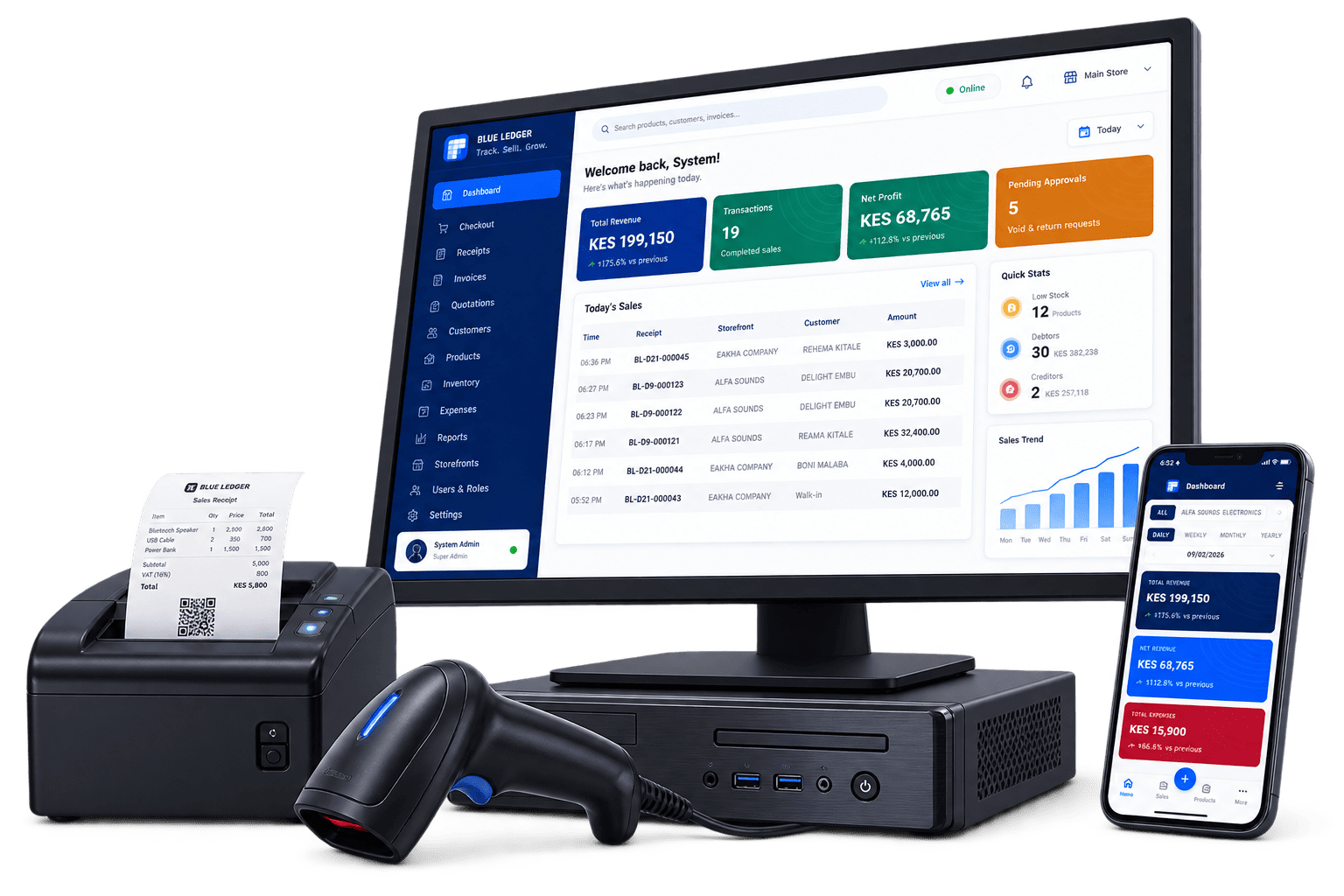
Everything on the counter.
Nothing in the way.
Sales are recorded in a local ledger on your powered Windows counter, with pending changes queued for cloud sync.
Explore offline checkout →Queued transactions sync automatically the moment you reconnect — with a visible queue so you always know what's pending.
See how cloud sync works →Allocate stock from your main store to each storefront and see on-hand counts, low-stock alerts and a full stock ledger at a glance.
Explore stock management →Reprint, download, return or void any sale — with owner approval required for the sensitive stuff. ESC/POS thermal printing built in.
See receipts and approvals →Employees sign in with a code and 6-digit PIN. Roles and permissions decide who can void, discount, or touch the settings.
Explore staff permissions →Daily sales, cashier performance, expenses, salaries and purchases — the numbers an owner actually checks, front and center.
See business reports →SEE THE PRODUCT
Follow the records behind a shop day.
Explore four real product screens in a guided screenshot tour. For an interactive walkthrough using sample products, arrange a demo with the team.
Read the screenshot tour transcript
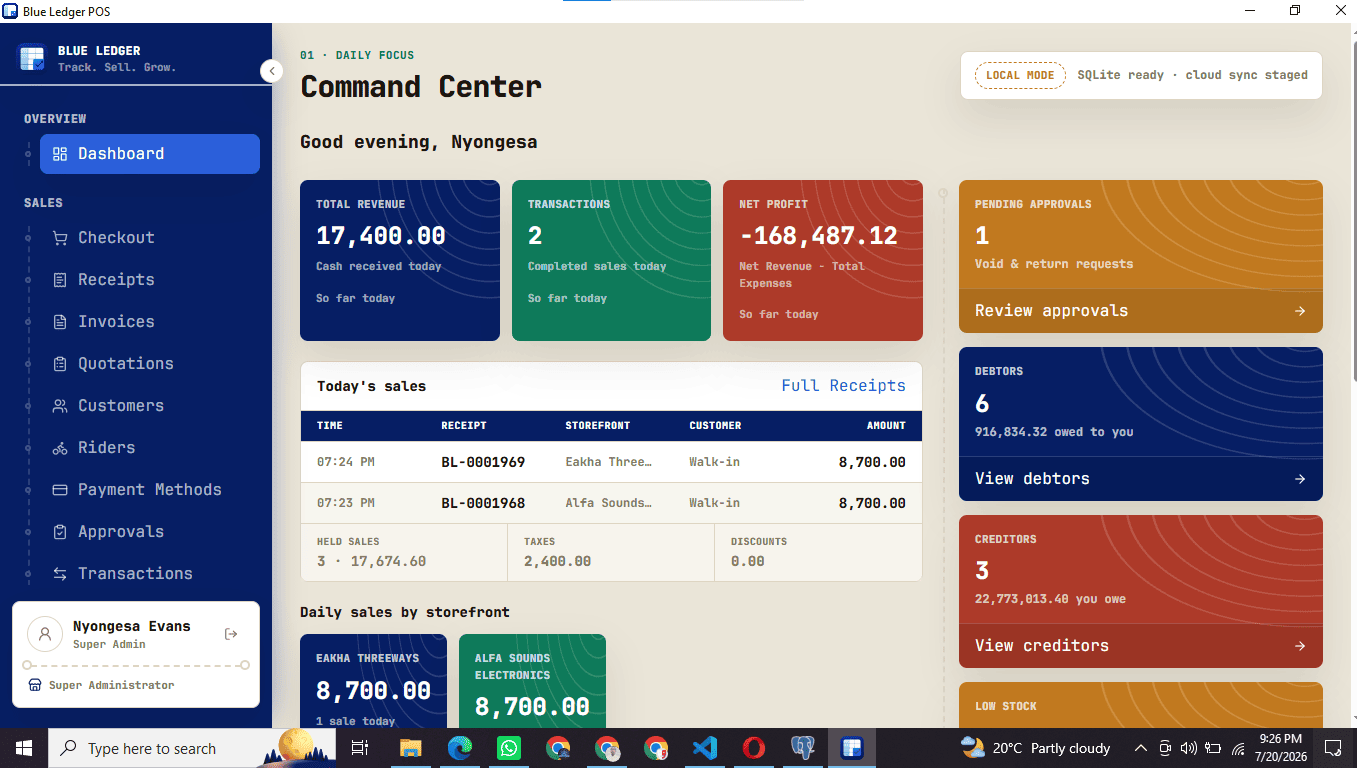
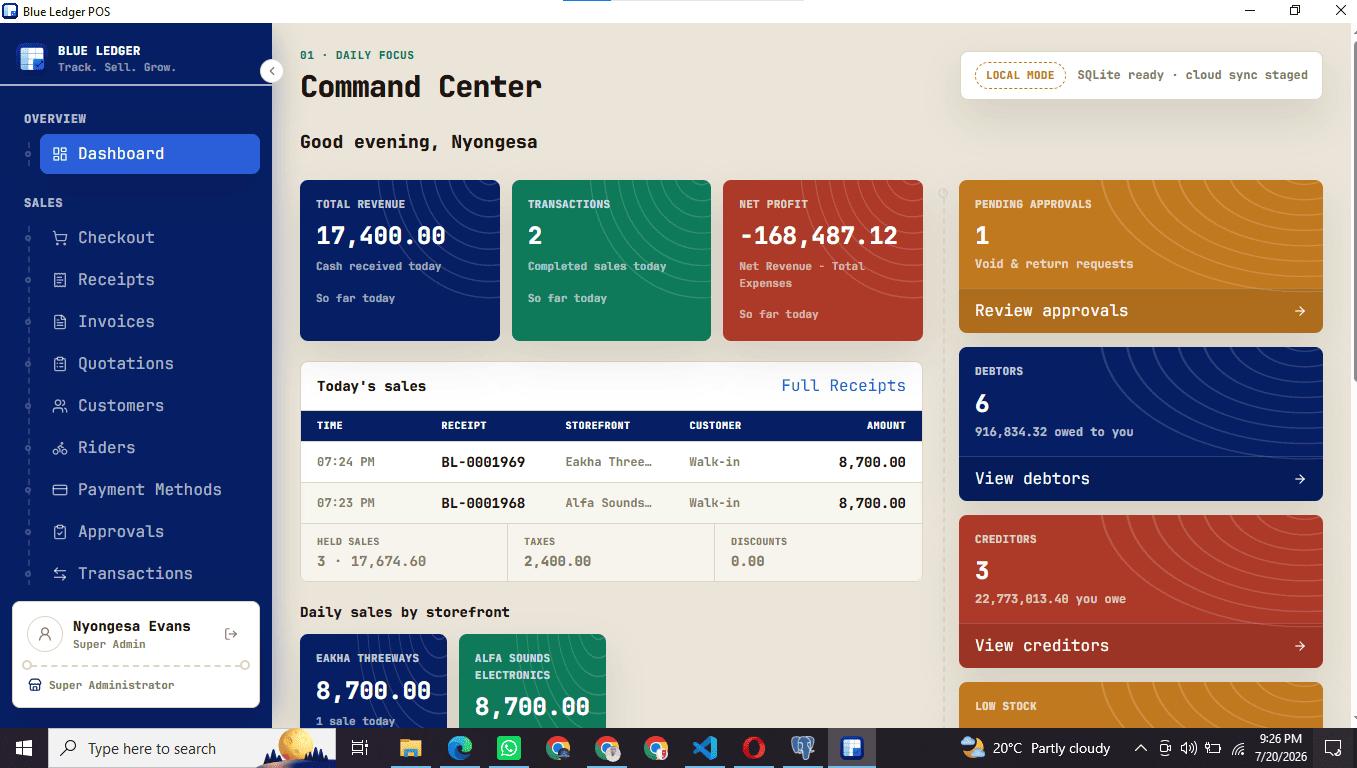
1. Review the counter
The Command Center brings recorded sales and shop activity into one view. A remote view reflects branch changes after they sync.
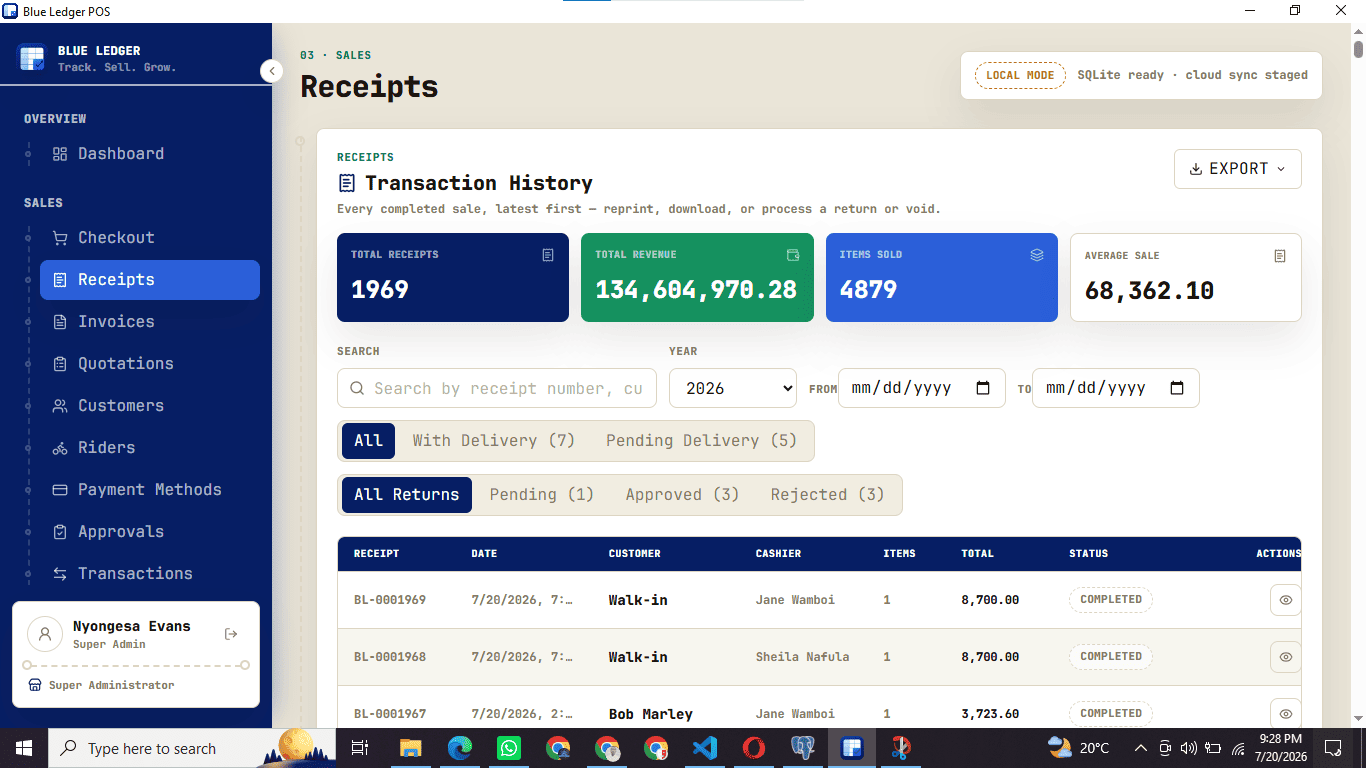
2. Find a receipt
Receipt history lets staff search recorded sales, review return requests and reprint a receipt. The screen brings totals and individual receipts together.
3. Check storefront stock
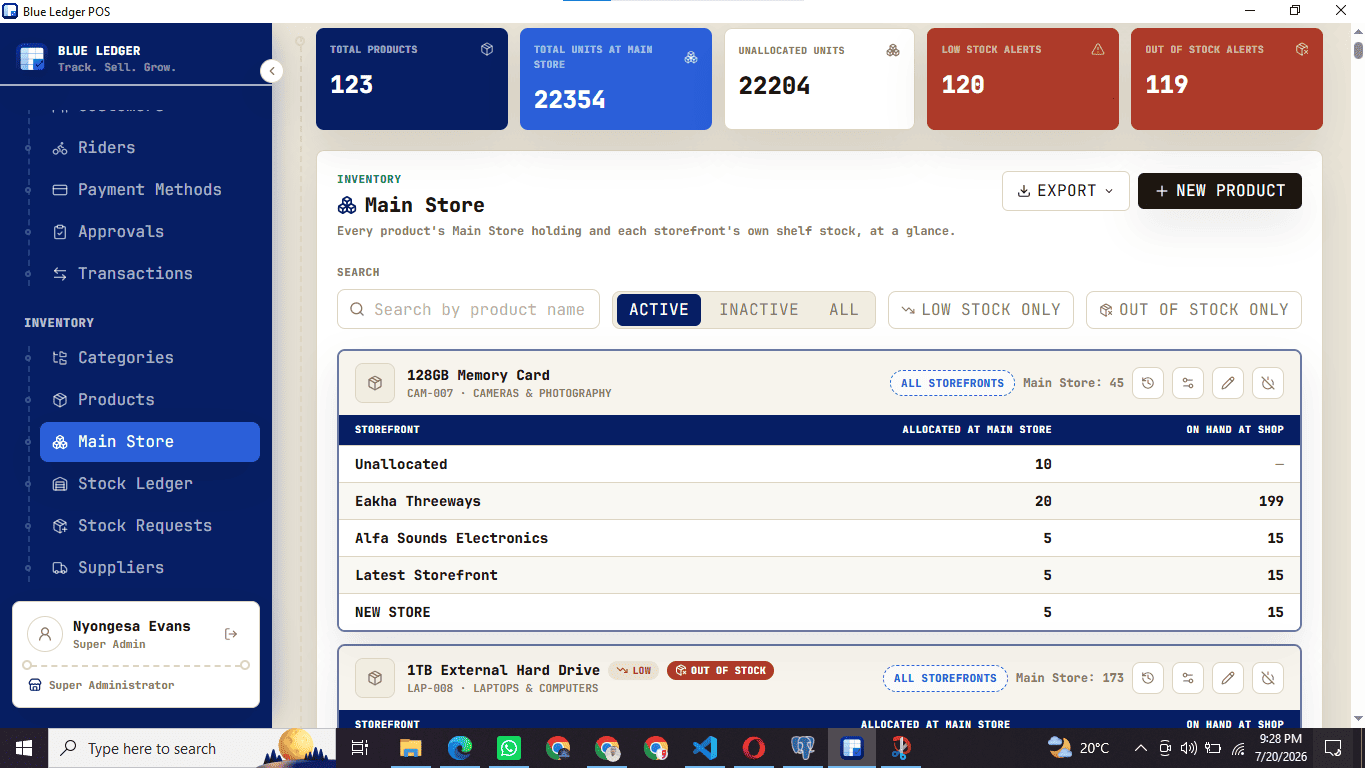
The inventory screen compares main-store allocation with stock at selling locations. Transfers and stock records help explain where units are held.
4. Review the reporting period
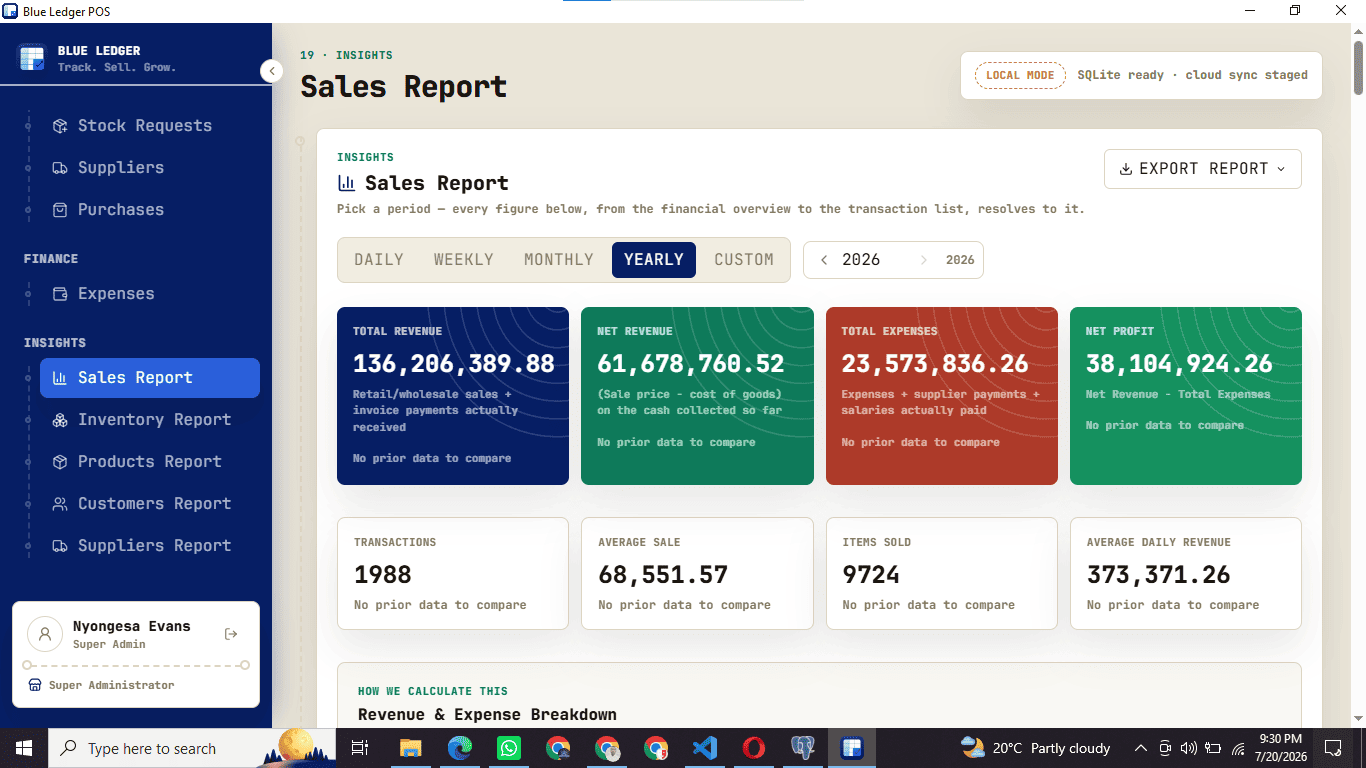
Choose a period in the sales report to review recorded revenue, expenses and profit. Use the figures alongside the transaction records for that period.
Take the counter view.
A quick look at three of the screens you'll live in. Invoices, quotations, delivery notes, approvals, goods received, payroll, roles, the mobile app and data migration are all in the box too.
Print it, or send it. Go paperless.
Ring up sales offline and hand over a thermal print — or skip the paper and send the receipt straight to the customer's WhatsApp or email. Every sale searchable, reprintable, and returnable with a full trail.
Stock that reconciles across every branch.
Hold bulk stock in a main store and allocate it to each storefront. Transfer between the main store and a branch, or directly between two branches — with a matching in/out record on both sides and low-stock alerts before a shelf runs dry.
Know your day by close of day.
Sales by day, week, month and year. Fast and slow movers, stock valuation, customer and supplier activity, and a tax report for your own books — Blue Ledger is not linked to KRA eTIMS and never shares your sales.
Run the shop from
your pocket.
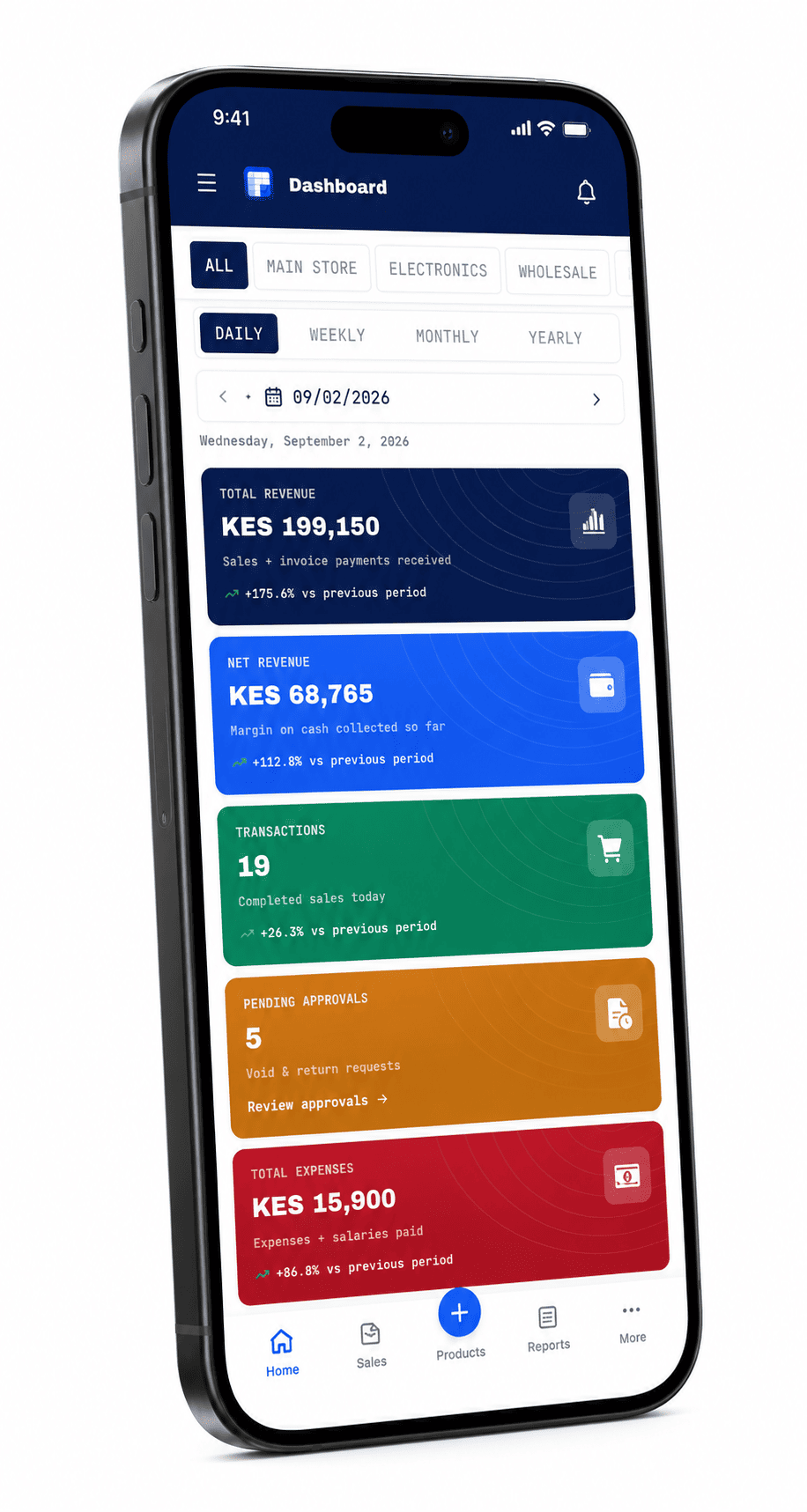
The mobile app is the same Blue Ledger, sized for a phone. Owners keep an eye on every branch in real time; staff carry a full point of sale around the shop floor.
Explore the mobile POS app →- See your shop from anywhere
Live sales, stock, cash and pending approvals from every branch — on your phone, whether you're behind the counter or three towns away.
- A point of sale in your pocket
Staff walk the shop floor with the mobile till: check live stock on any product, then ring up the sale on the spot — no trip back to a computer.
- Full documents, not a cut-down app
Create sales, invoices and quotations from the phone exactly like the desktop POS — same prices, same approvals, same cloud sync.
The internet goes down.
Your business doesn't.
Blue Ledger runs on your Windows counter with a ledger of its own. Queue of pending syncs: visible. Failed syncs: retried. The counter must stay powered; remote views catch up after syncing.
Explore offline checkout and cloud sync →WHAT OUR CUSTOMERS SAY
What shops value in their working day.
Shop owners who run their business on Blue Ledger, in their own words.
Branch visibility while away
“We have two branches, and I can see both from one place. Even when I'm travelling outside Nairobi, I know what's happening in the shops.”
Documents customers can receive
“I add product pictures to my invoices and send receipts and invoices to customers on WhatsApp or email. It looks professional and saves time.”
One system across shops
“All our shops run on one system. We move stock from the main store to the branches, and between branches, and everything stays on record.”
Follow each product movement
“Electronic receipts, transfers between stores, and the movement history of every single product. I always know where stock went.”
Connected business records
“Suppliers, purchases and customers are all in one place, and the reports help us understand how the business is doing.”
Priced like a tool,
not a tax.
Talk to us for a quote that fits your setup — no rigid tiers, no surprises on the bill.
- 1 storefront · 1 station
- Unlimited sales & receipts
- Offline mode + cloud sync
- Thermal receipt printing
- 3 employee accounts
- Up to 4 storefronts
- Main store stock allocation
- Approvals, returns & voids
- Roles & permissions
- Reports, expenses & salaries
- Unlimited employees
- Unlimited storefronts
- Dedicated onboarding
- Data migration from your old POS
- Priority support
- Custom integrations
Before you ask.
Does it really work without internet?
Yes — that's the whole point. Blue Ledger stores everything in a local SQLite database on your machine. Checkout, receipts, inventory and reports all work with zero connection. When you're back online, queued changes sync to the cloud automatically.
What hardware do I need?
Any Windows PC or laptop you already own. Add an ESC/POS thermal printer (Epson-compatible, network or USB) for printed receipts — or skip it and go paperless.
Can I run more than one shop?
Yes. Keep bulk stock in a main store and allocate units to each storefront. Every shop sees its own shelf stock; you see everything.
What happens to my data if I cancel?
It's your ledger. The local database stays on your machine, and you can export your full sales and inventory history any time.
READY TO OPEN
THE LEDGER?
A 30-day free trial, arranged with the Blue Ledger team. Tell us about your counter, check your devices and agree the setup steps. No card required.