Every feature, one system.
Blue Ledger is an offline-first point of sale for Kenyan retail and wholesale businesses. Sell without internet, run every branch from one account, send e-receipts on WhatsApp, and close the day with reports you can trust. Here is everything it does.
Faster checkout and paperless e-receipts
Ring up sales offline, then print a receipt or send it on WhatsApp or email.
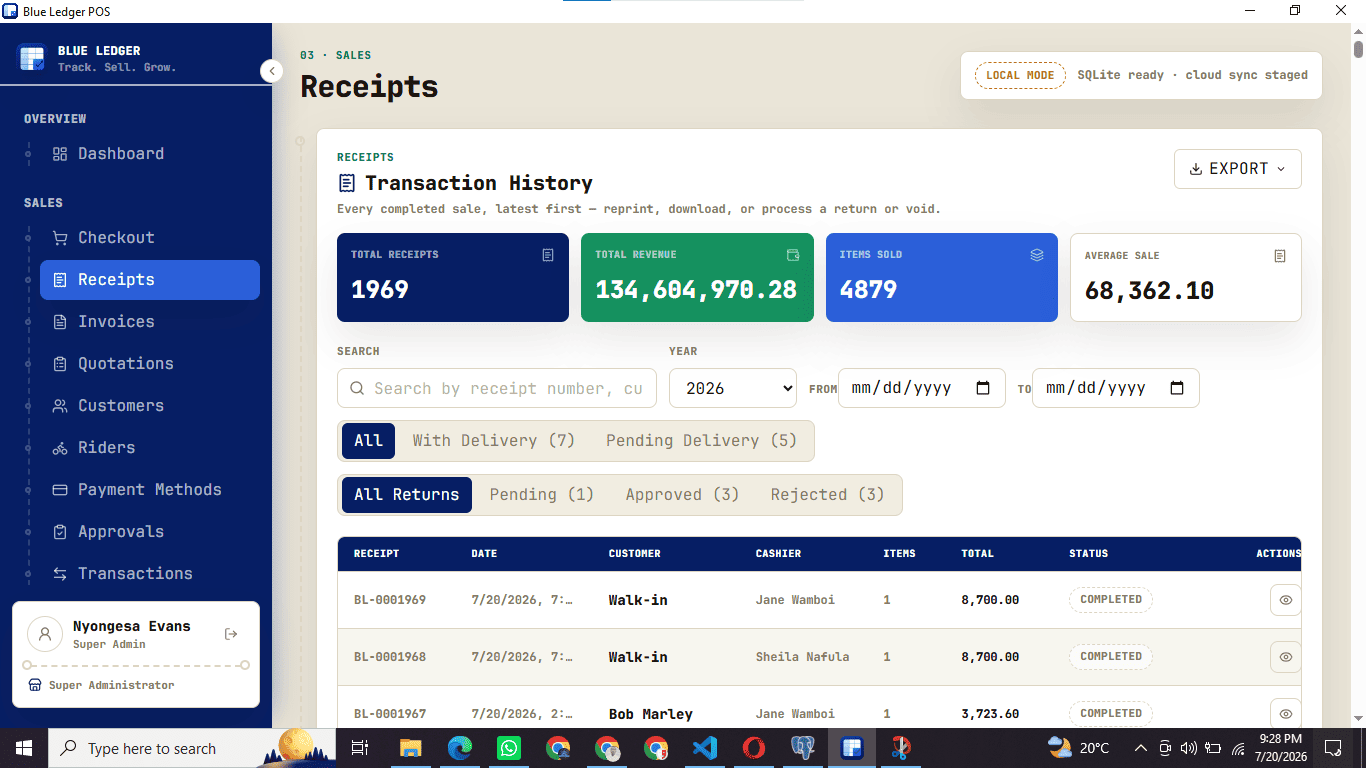
- Print receipts or send e-receipts
Hand over a thermal print or go completely paperless — deliver the receipt straight to the customer's WhatsApp or email in seconds. Lower paper costs, a tidier counter, and a receipt the customer can't lose.
- Sell with or without internet
Every sale is written to a local ledger the instant you complete it, then syncs to the cloud when the connection returns. Power cuts and dead network never stop the till.
- Returns and voids with a full trail
Reverse a sale, restock the item automatically, and keep an audit trail of who did what and when.
Blue Ledger mobile app — your shop in your pocket
Watch every branch live, and sell from a phone exactly like the desktop till.
Explore mobile POS →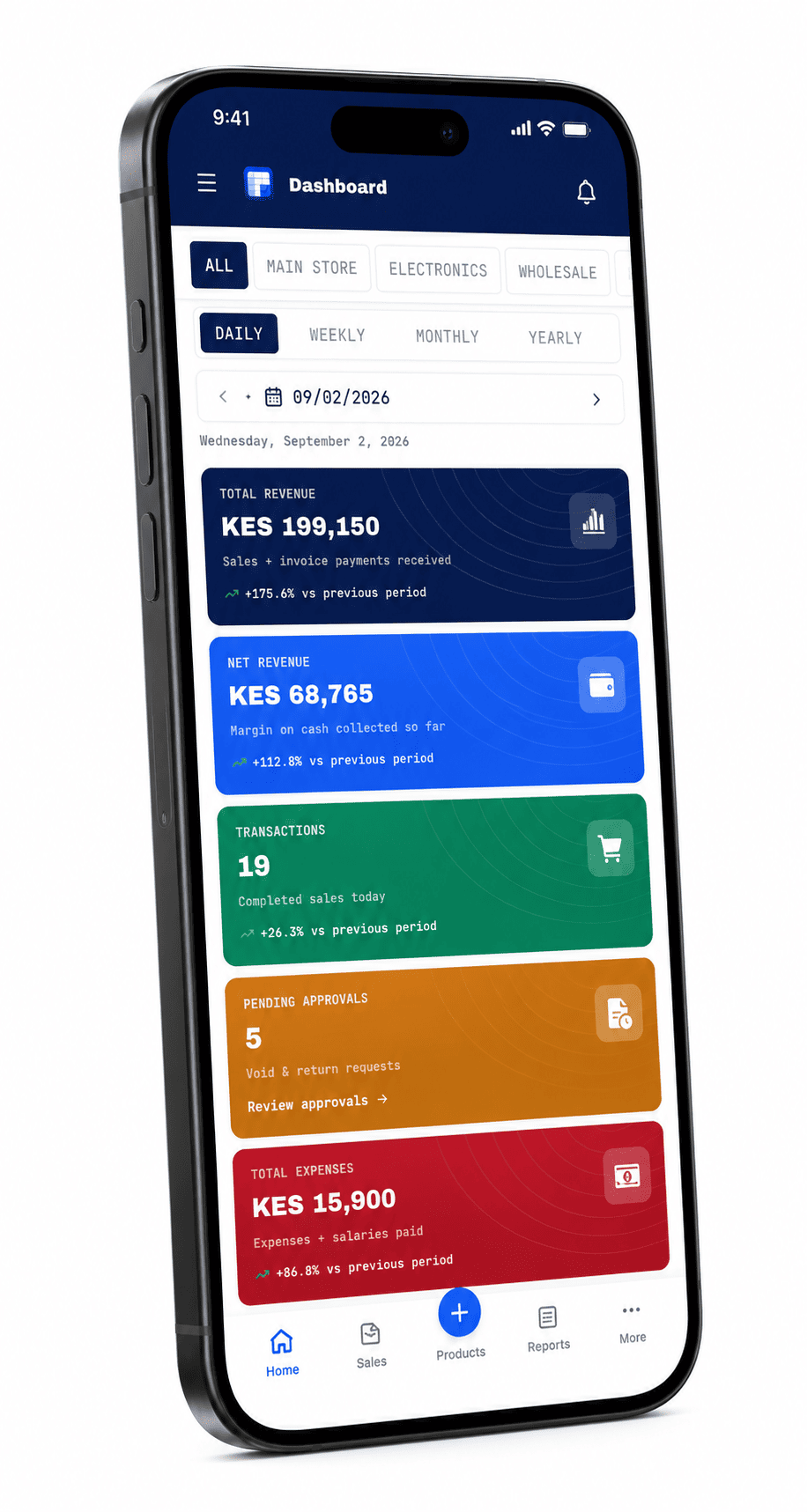
- See your shop from anywhere
Live sales, stock, cash and pending approvals from every branch, on your phone — whether you are behind the counter or three towns away.
- A point of sale in your pocket
Staff walk the shop floor with the mobile till: check live stock on any product, then ring up the sale on the spot without going back to a computer.
- Full documents, not a cut-down app
Create sales, invoices and quotations from the phone exactly like the desktop POS — same prices, same approvals, same cloud sync.
Invoices, quotations and delivery notes — 100% paperless
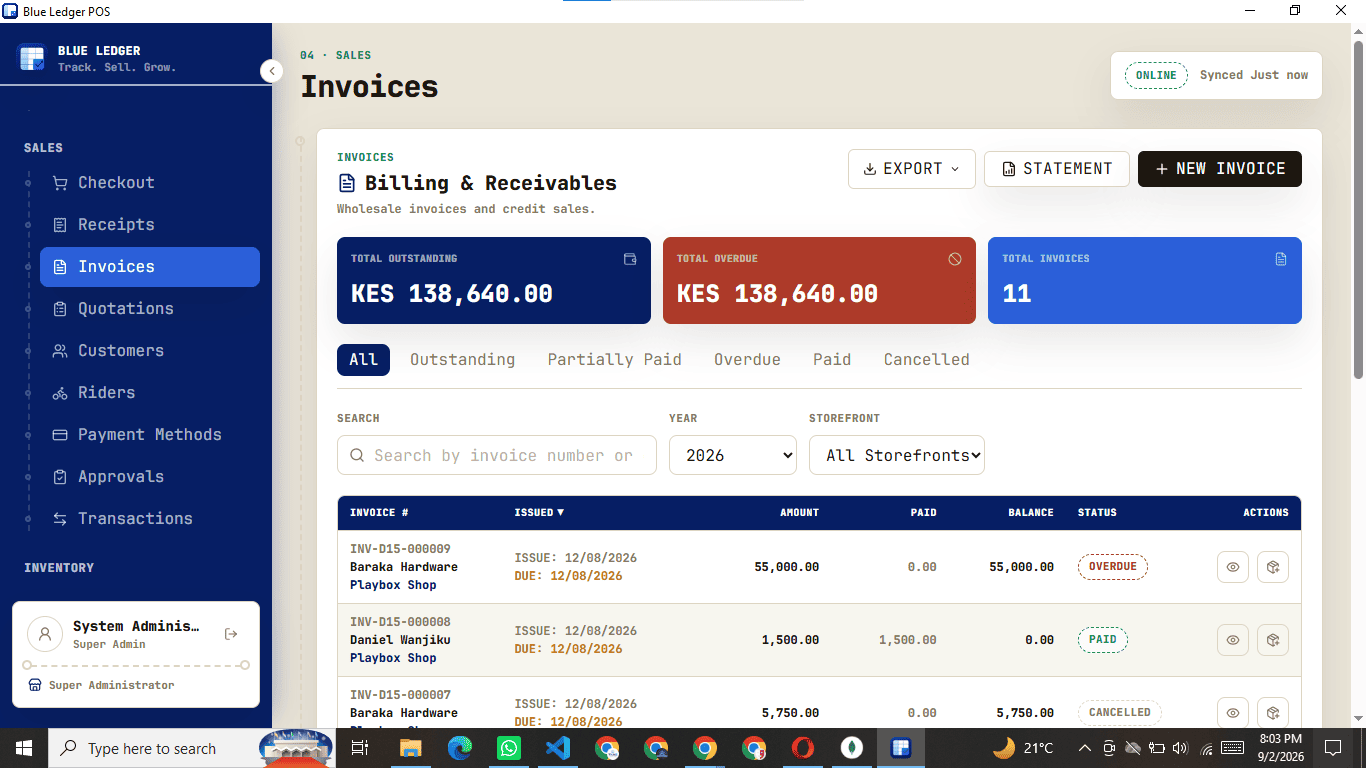
Create, share and track credit sales end to end, sent by WhatsApp or email.
- Quotations that convert
Draft a quotation, send it to the customer over WhatsApp or email, then turn an accepted quote into an invoice or a completed sale without re-keying a single line.
- Professional invoices, shared instantly
Raise an invoice, record part-payments against it, and share it as a branded PDF on WhatsApp or email. No printer required.
- Delivery notes for every dispatch
Generate a delivery note so the customer signs for exactly what left your store, with riders and delivery charges recorded against the sale.
Multi-store inventory management with main store allocation
One main store, many storefronts, and stock transfers that always reconcile.
Explore inventory management →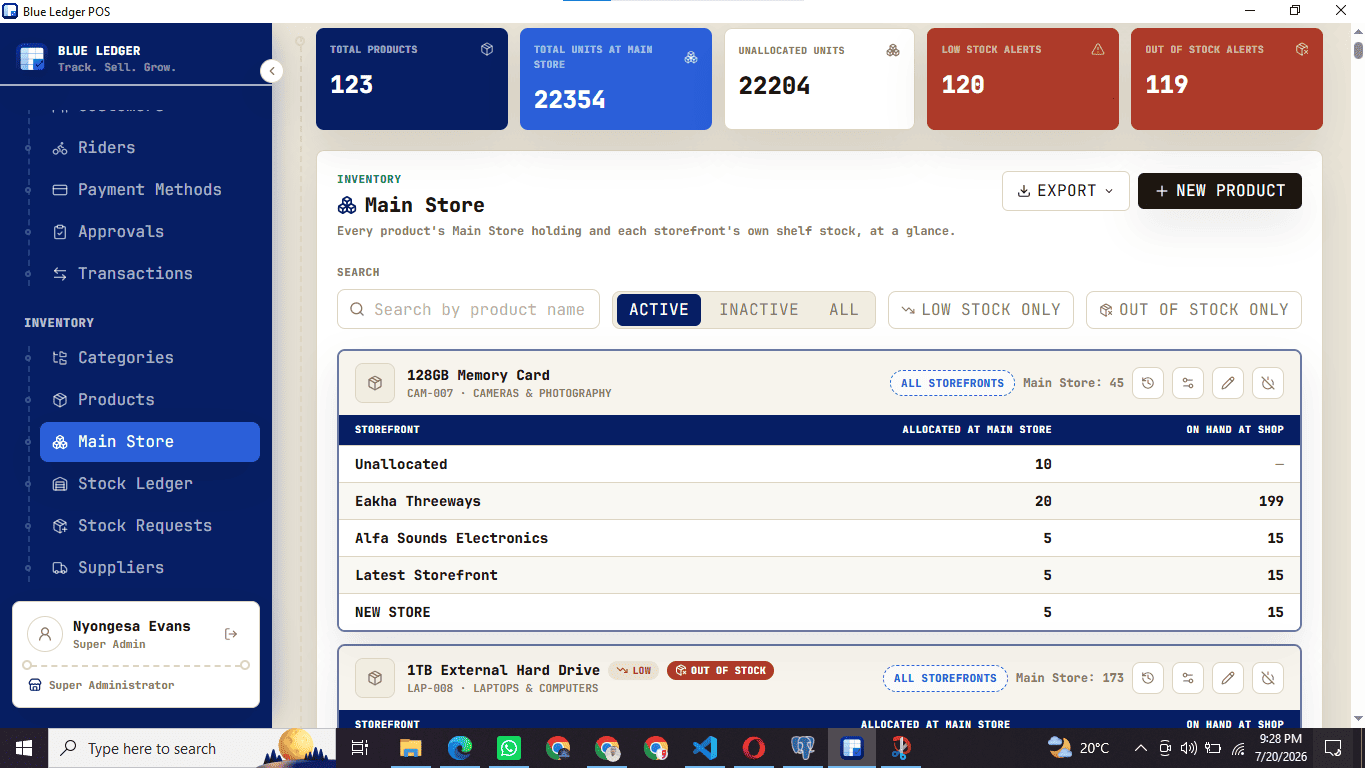
- Main store plus multiple storefronts
Hold bulk stock in a central main store and allocate units out to each storefront. Every branch sees its own shelf count; you see the whole picture in one place.
- Transfers that balance both sides
Move stock from the main store to a storefront, or directly between two branches, with a matching stock-in and stock-out record on both locations of every transfer.
- Low-stock visibility everywhere
Live on-hand counts and low-stock alerts across every location, so you reorder before a shelf runs dry.
Record goods received and keep every supplier receipt
Account for every unit that enters the main store or a selling branch.
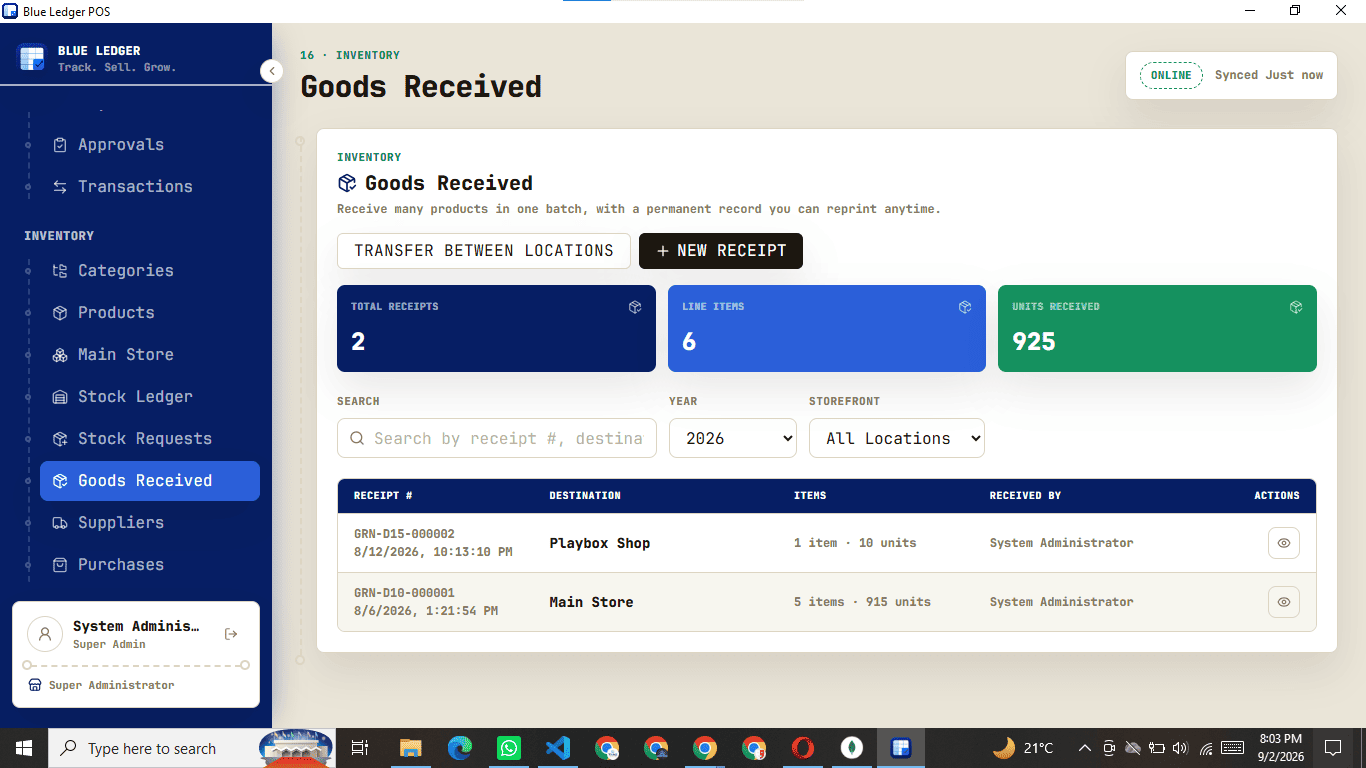
- Log every delivery on arrival
Book goods into the main store or a branch against the supplier and the purchase order, with quantities checked in as they land.
- Keep the paperwork attached
Store the supplier receipt with the record so stock intake is fully accounted for when it is time to audit or reconcile.
- Numbers frozen at the moment of receipt
Before-and-after stock levels are captured when goods are received, so the history never shifts under you later.
Customer records and supplier tracking
A running history of who buys from you and who you buy from.
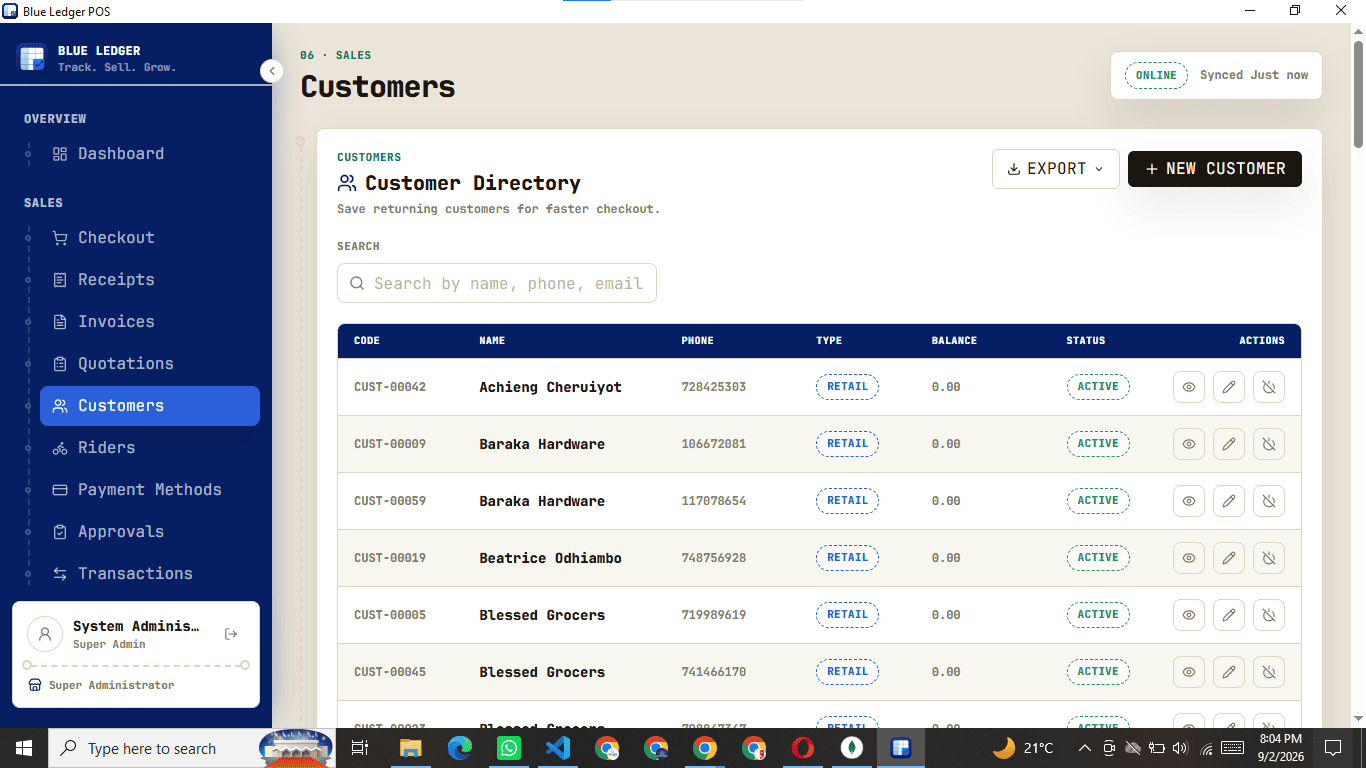
- Customer records and statements
Keep contact details, full purchase history and outstanding balances for every customer, and produce a statement on demand.
- Supplier and purchase tracking
Track every supplier, the purchases raised against them and what you still owe, so nothing slips through.
Built-in request and approval workflow
Cashiers raise sensitive actions; a manager signs them off.
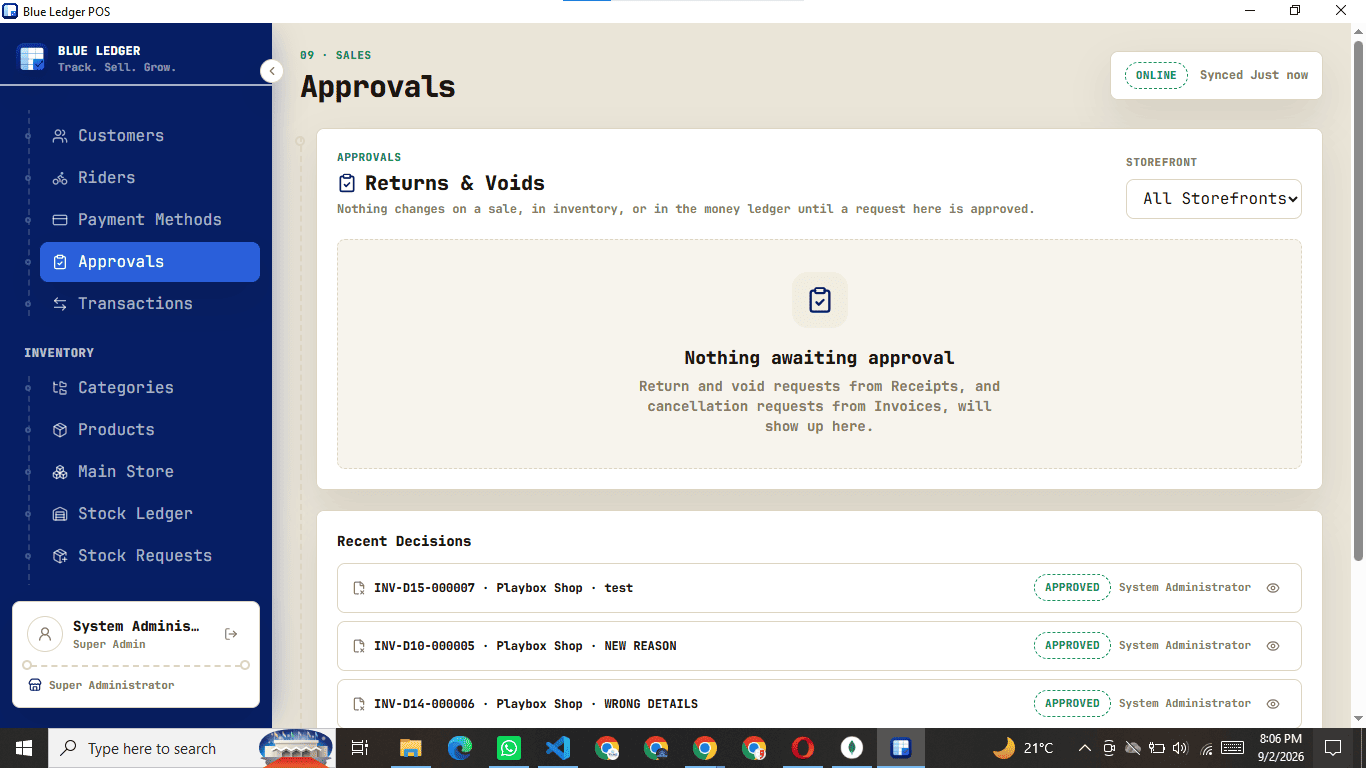
- Approval gates on sensitive actions
A cashier requests a sale or an invoice return and it waits for a manager to approve or reject. Nothing sensitive happens unsupervised.
- Every transaction tracked
Follow every transaction moving through the business — sales, returns, transfers, payments and expenses — with the employee's name on each one.
Role-based permissions for every employee
Decide exactly what each person on the team can see and do.
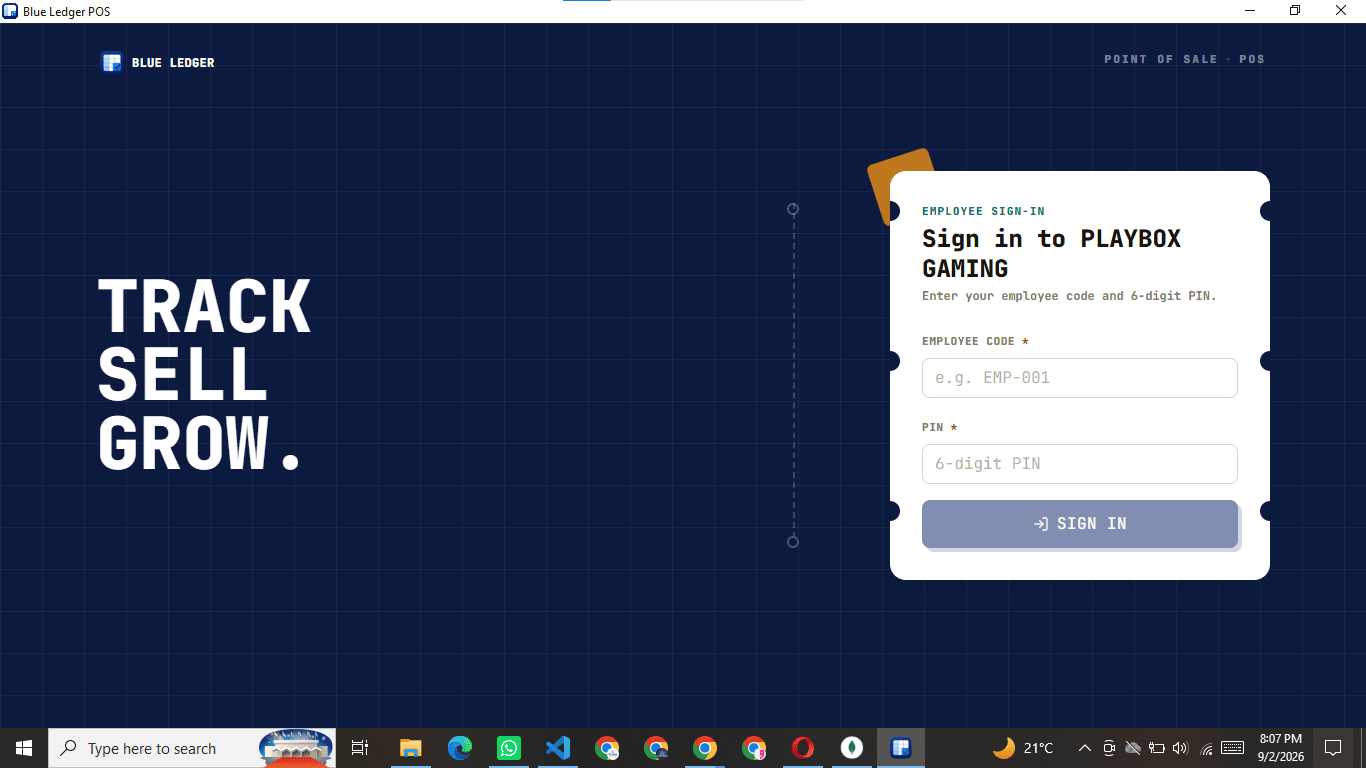
- Control every permission by role
Switch individual permissions on or off per role. Cashiers can sell all day without ever seeing reports, cost prices or system settings.
- Team sign-in with code and PIN
Staff clock in with a short code and a personal PIN, so every sale and every change is tied to a name and a shift.
Expense tracking and salary management
Record what goes out of the business as carefully as what comes in.
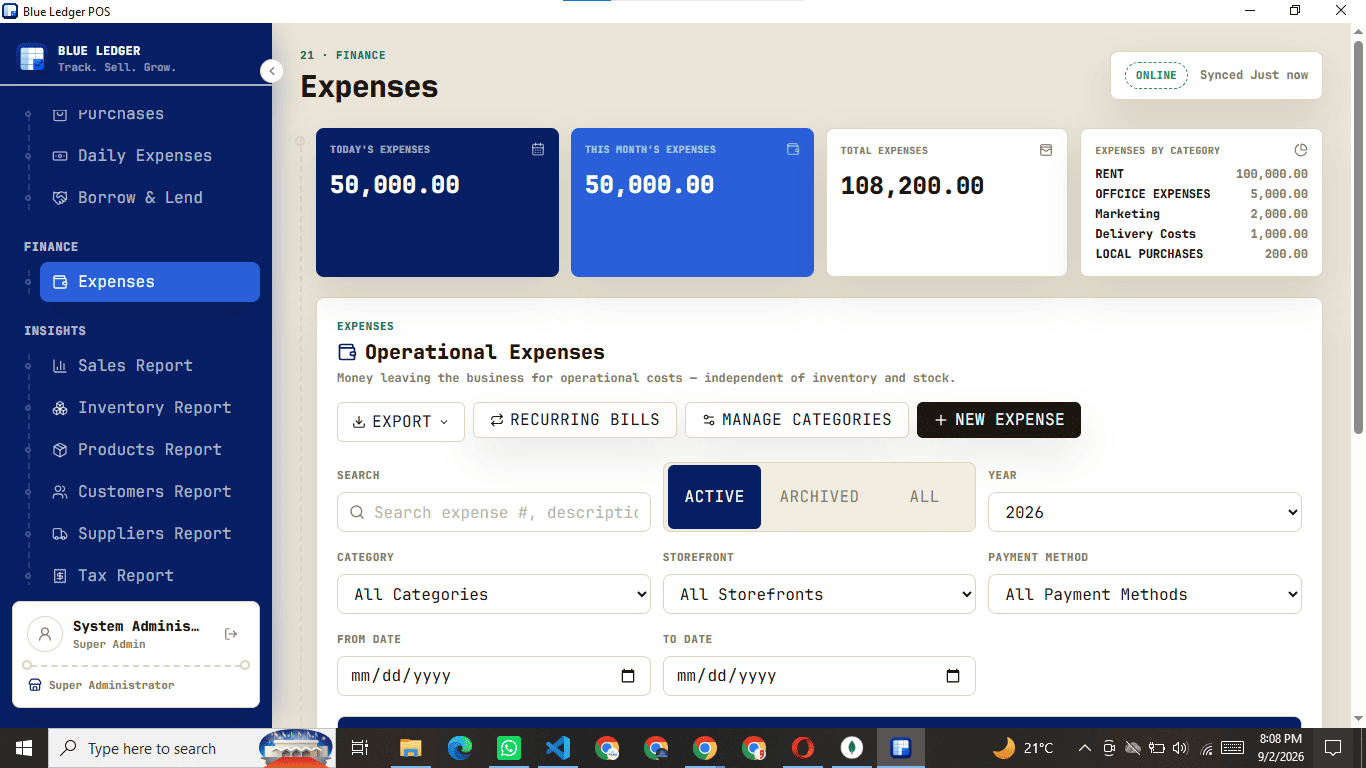
- Expenses by category
Log running costs as they happen so daily profit reflects reality, not just takings.
- Salaries and salary advances
Record staff salaries and log salary advances against them, so payday adds up with no guesswork.
Sales reports and business analytics
Daily, weekly, monthly and yearly numbers an owner actually checks.
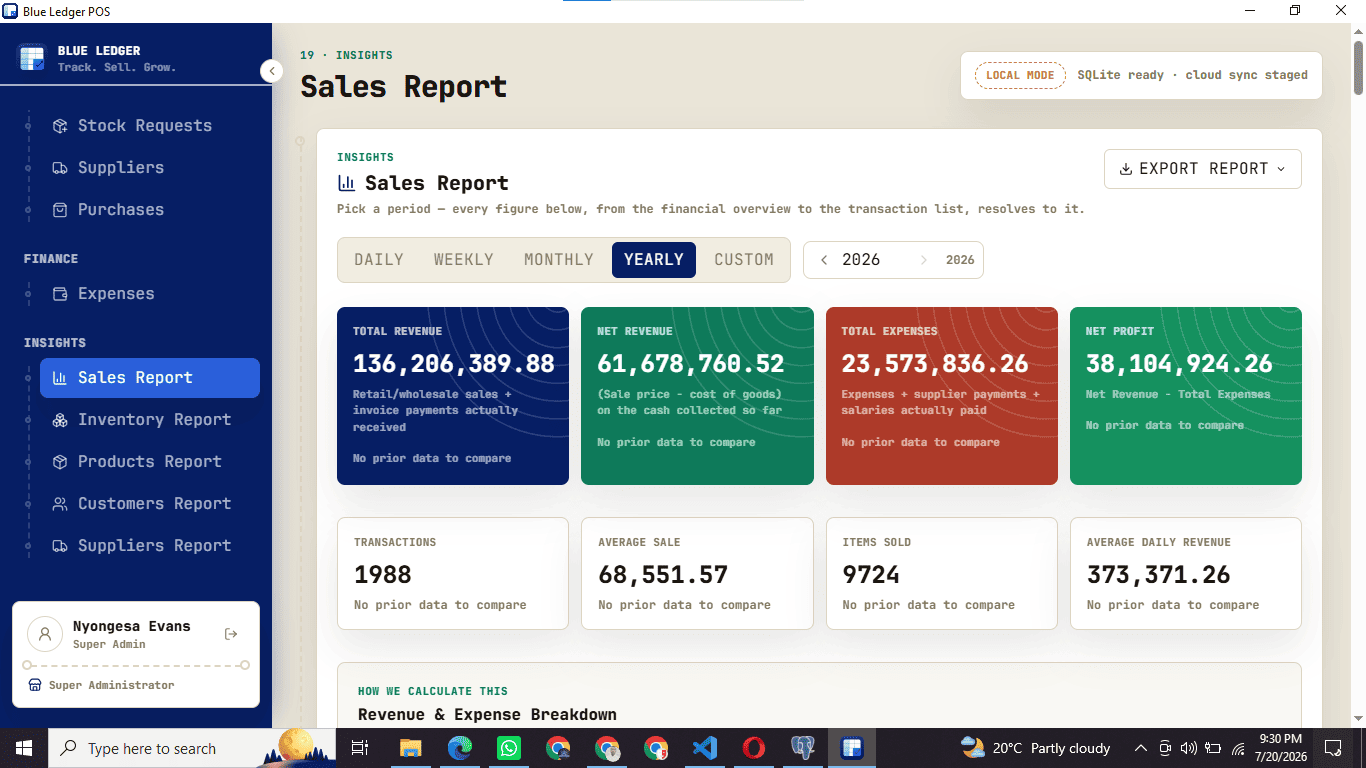
- Sales reports, day to year
Detailed sales analytics by day, week, month and year — revenue, payment mix, discounts and cashier performance.
- Inventory reports
Know exactly what stock you are holding and what it is worth, at any location, at any time.
- Product reports — fast and slow movers
See fast-moving and slow-moving products at a glance, and track the movement of any single product over any period.
- Customer and supplier reports
Track purchases by customer and by supplier to see who really drives the business.
- Tax reports — not linked to KRA
Clean figures for accounting and tax filing. Blue Ledger is not integrated with KRA eTIMS and never transmits your sales to KRA — the tax report is for your own books only.
Multi-branch support with independent branch profiles
Run every branch on its own details, branding and opening hours.
Explore multi-branch POS →
- Independent branches, one system
Each branch carries its own name, contact details, document branding and working hours — many shopfronts managed from a single account.
- Working hours per branch
Set opening hours for each branch and control when staff are able to sign in and sell.
Data migration from your old POS
Bring your products, customers and suppliers across from day one.
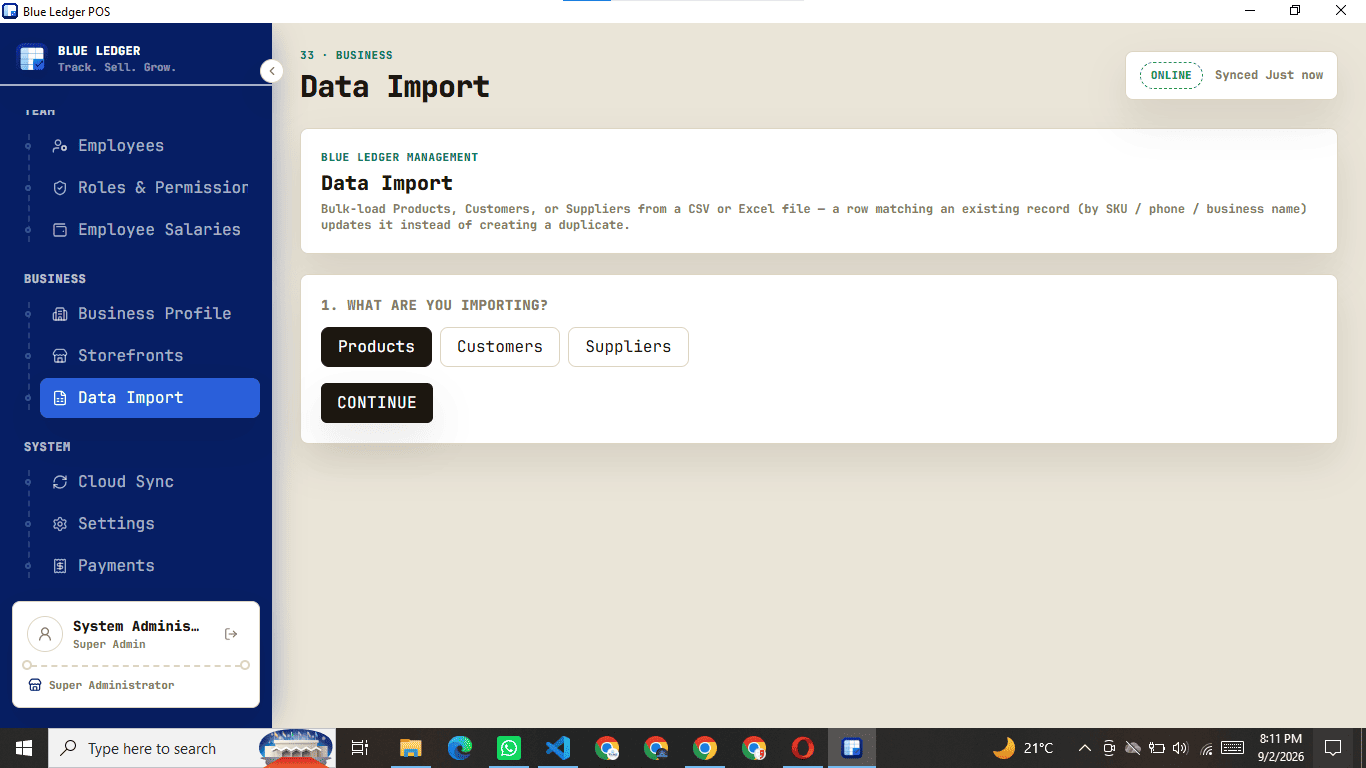
- Bulk import from CSV or Excel
Import products, customers and suppliers in bulk, so you launch with your real catalogue instead of a blank screen.
- Hands-on migration help
We help you move your existing data from your old point of sale into Blue Ledger as part of onboarding.
Blue Ledger is not integrated with KRA eTIMS.
Your sales are recorded in your own ledger and are never transmitted to the Kenya Revenue Authority. The built-in tax report is there to make your own accounting and filing easier — it does not connect to eTIMS, TIMS or any KRA system.
See it running in your shop.
Book a walkthrough on the features that matter to your business, or ask us anything — a real person replies fast.
Priced like a tool,
not a tax.
Talk to us for a quote that fits your setup — no rigid tiers, no surprises on the bill.
- 1 storefront · 1 station
- Unlimited sales & receipts
- Offline mode + cloud sync
- Thermal receipt printing
- 3 employee accounts
- Up to 4 storefronts
- Main store stock allocation
- Approvals, returns & voids
- Roles & permissions
- Reports, expenses & salaries
- Unlimited employees
- Unlimited storefronts
- Dedicated onboarding
- Data migration from your old POS
- Priority support
- Custom integrations