
How to reconcile stock across branches.
When a shelf count differs from your POS, first find the missing movement. Use a shared cutoff and a location-by-location count to explain the difference before changing stock balances.
By the Blue Ledger team · Published
1. Agree a cutoff and let records catch up.
Choose the same reconciliation time for the main store and every branch. Pause stock movements during counting where practical. If trading must continue, keep a separate record of sales, receipts and transfers after the cutoff so the physical count and system balance describe the same moment.
Check whether each counter has synced. A phone or cloud view cannot include a disconnected branch's pending changes. Reconnect and review pending syncs before treating a remote total as complete. If a branch cannot reconnect, mark its figures as provisional and keep its local movement records for comparison.
Understand reconnecting and cloud sync →2. Count each product in each location.
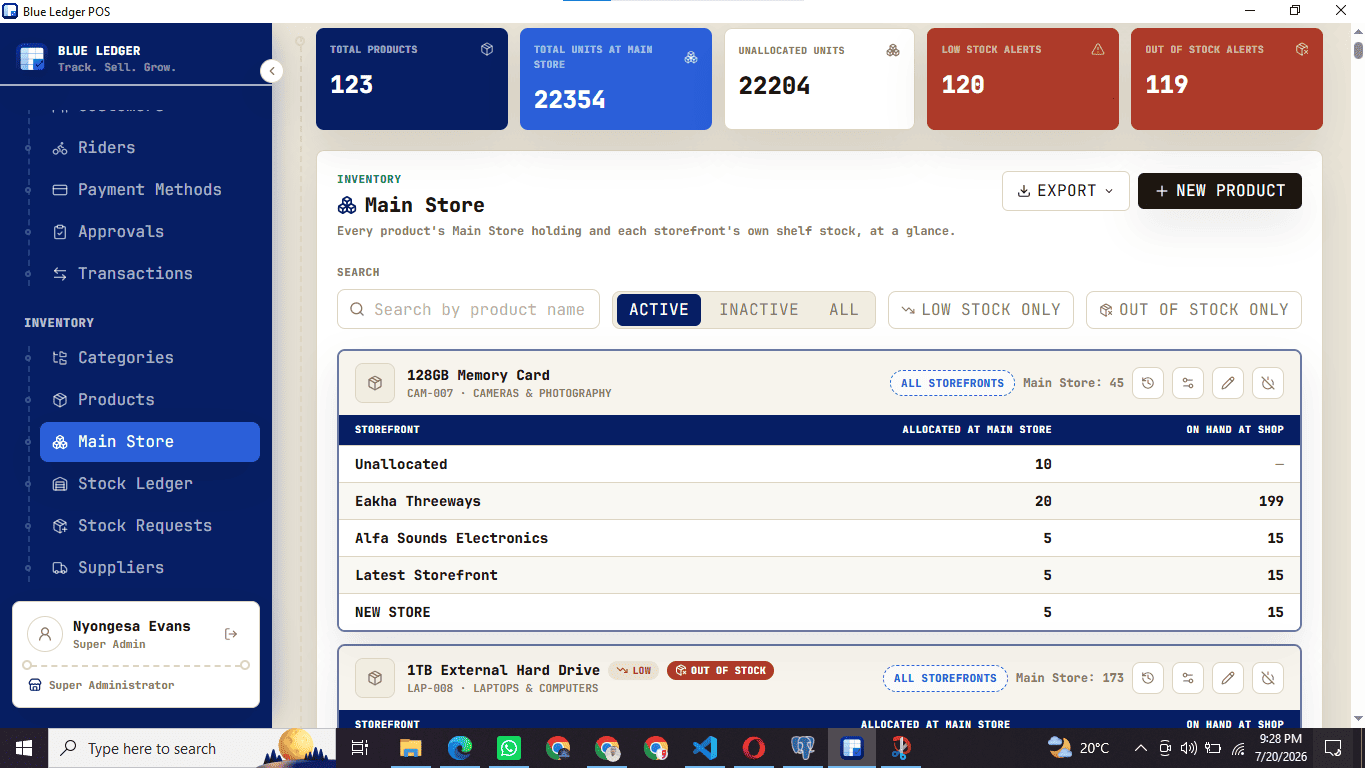
Use one product code and unit of measure throughout the count. Keep the main store, each branch and any goods in transit separate. A carton and an individual unit must not be compared as if they were the same quantity.
- Record the product code, location, count time, counted units and person counting.
- Separate damaged goods, returns and unpacked deliveries so you know what the count includes.
- Recount a difference before making a correction. Have another person check significant differences where possible.
3. Explain the difference with movement records.
For the period since your last agreed count, start with the opening quantity, add stock received and transfers in, then subtract sales, transfers out and other authorised removals. Include recorded returns and corrections according to whether they increase or reduce stock. Compare that expected closing quantity with the physical count at the cutoff.
- Check supplier deliveries against the receiving record and paperwork.
- Match a transfer out of one location to its receiving record at the other. Confirm whether the goods actually arrived.
- Check sales, returns and adjustments for the correct product, location and time.
- Look for a wrong unit, duplicate entry, unrecorded delivery or unsynced counter before assuming loss.
4. A worked example: two units that need explaining.
This is an illustrative example, not a customer result. A branch starts with 20 units, receives 10 from the main store and sells 7 before the cutoff. With no other movements, the expected closing quantity is 23. The physical count is 21, leaving a difference of minus 2.
| Record | Units |
|---|---|
| Opening stock | 20 |
| Transfer received | +10 |
| Sales | −7 |
| Expected closing stock | 23 |
| Physical count | 21 |
| Difference: counted minus expected | −2 |
Recount first. Then check the transfer paperwork: were 10 units dispatched but only 8 received? Check whether two units were sold after the cutoff or moved elsewhere without the corresponding record. These are questions to investigate, not explanations to assume. The action depends on the evidence.
5. Keep the explanation with the correction.
Once you have evidence, use your agreed authorised correction process. Retain the product, location, original balance, physical count, reason, supporting document, person approving and time. Do not silently replace a number just to make the totals match.
Before signing off
- All locations use the same cutoff and units.
- Offline or unsynced records are resolved or clearly marked as provisional.
- Material differences have been recounted and investigated.
- Transfers have been checked at both ends, including goods still in transit.
- Corrections have an explanation and appropriate authorisation.
- The agreed closing balance becomes the next period's starting reference.
Try the workflow with your own shop structure.
Ask the team to demonstrate a product received into the main store, a transfer to a branch, a sale and the resulting stock history using sample data. Confirm the correction and approval workflow for your setup.
Explore inventory management, multi-branch POS and pricing and setup.